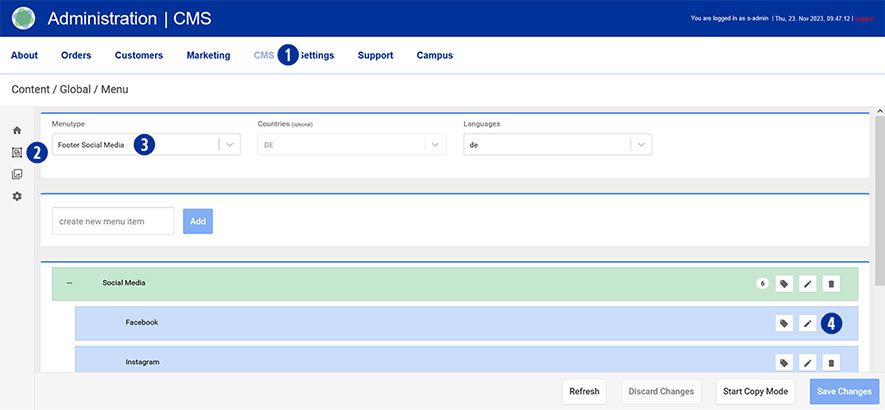
Switch to your Partnershop backend – CMS / Content / Global / Menu. [1][2]
Select in the left navigation Menutype / Footer Social Media. [3]
Select the desired link (e.g. Facebook) under “Social Media” and click on the “Edit” icon [4].
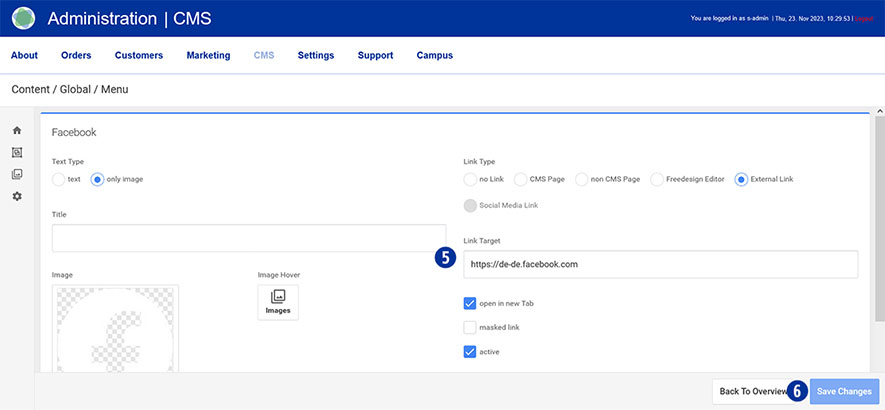
Change your entries. [5]
Customize your display on the homepage. To do this, activate or deactivate individual links.
Save your changes using the “Save Changes” button. [6]
Category:
CMS