Yes. Log in to the Partnershop backend with the login data sent to you.
Then change in the menu Settings [1] to the module “change password”. [2]
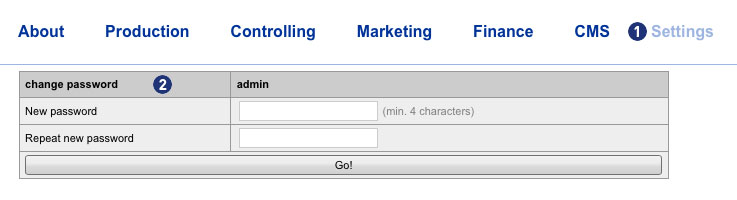 Enter your new password in the input field “New password” [3]. Repeat your entry in the field “Repeat new password”. [4]
Confirm your entry by clicking on the button “Go!”. [5]
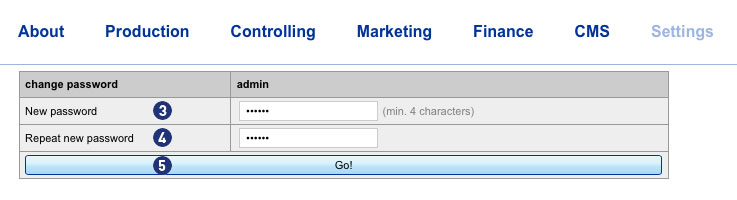 The next backend login is then only possible with the new password.
Note
The new password must be at least 4 characters long.
The entered password and its repetition must not be different.