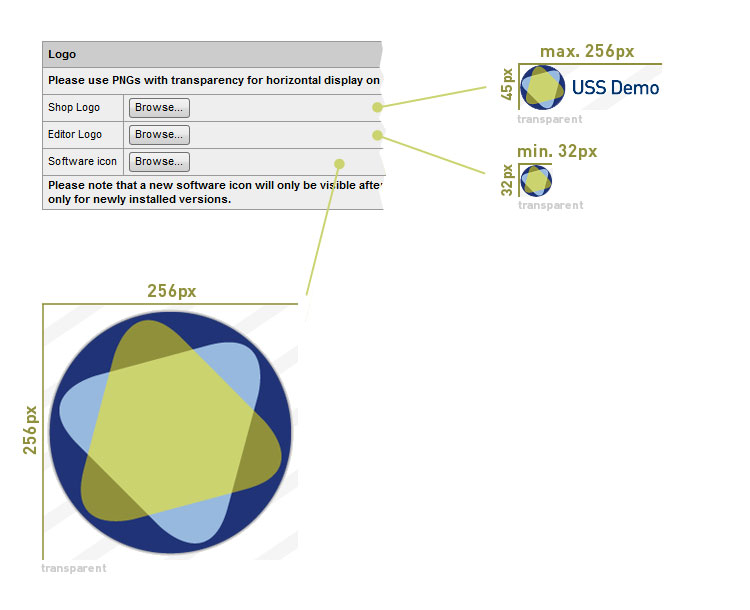
Yes. Please switch to the Partnershop Backend section CMS an choose Design. Under the option Logo – Shop Logo, click the “Browse …” button and select the Shop Logo file. Confirm the upload by clicking on the button “GO!”. The Shop Logo will displayed after opening the editor in the upper left corner.
Note
The file for the shop favicon requires the following properties.
File format: PNG
Height: 45px (Fixed value)
Width: 256px (Maximum value)
Under the option Logo – Editor Logo, click the “Browse …” button and select the Editor Logo file. Confirm the upload by clicking on the button “GO!”. The Shop Logo becomes will displayed after opening the editor in the upper left corner.
Note
The file for the editor favicon requires the following properties.
File format: PNG
Height: 32px (Fixed value)
Width: 32px (Maximum value)
Note
The file for the software icon requires the following properties.
File format: PNG
Height: 256px
Width: 256px
Please use PNGs with transparency for horizontal display on selected background color if they should contain a shadow.