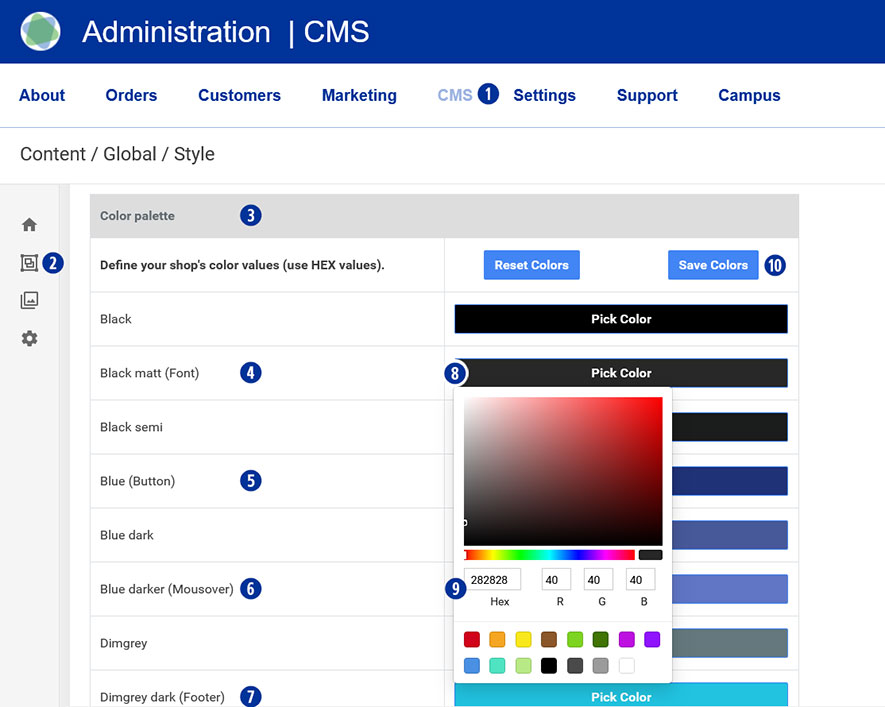
Switch to your partner shop backend – CMS / Content / Global / Style. [1][2]
Under “Color palette” [3], change the colors for font [4], button [5], mouseover [6] and footer. [7]
To do this, click on the “Pick Color” field [8] and select the desired value using the color palette. [9]
Save your changes using the “Save Colors” button. [10]
Go to the homepage of your Partnershop. Your individual colors will be displayed.
Category:
CMS