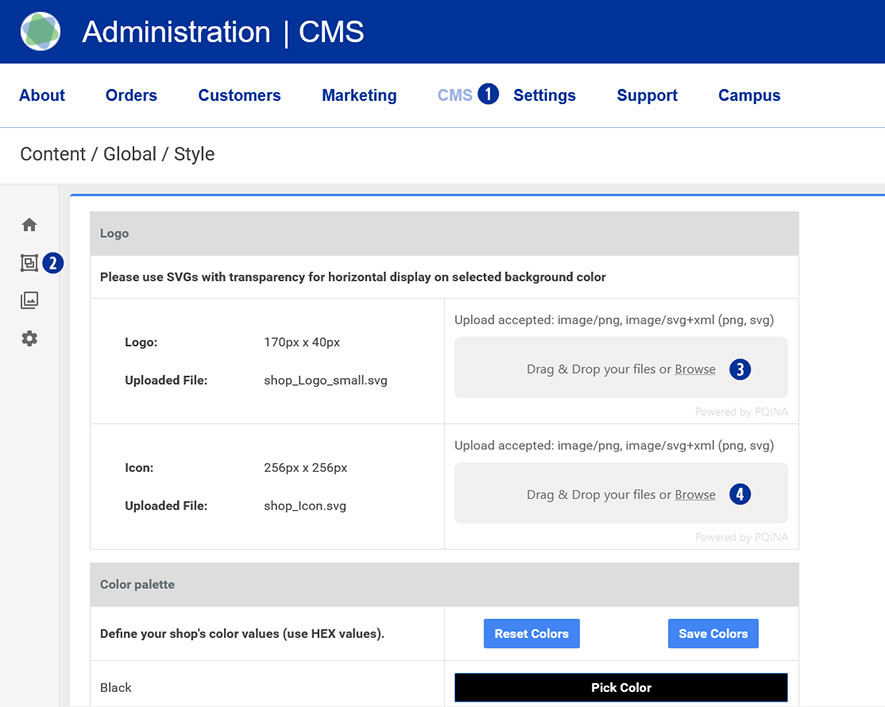
Go to your Partnershop backend – CMS / Content / Global / Style. [1][2]
Drag your logo file (*.SVG or *.PNG) onto the gray area “Drag & Drop your files…” or click the “Browse” link and select the desired file. [3]
Drag your icon file onto the gray area “Drag & Drop your files…” or click the “Browse” link and select the desired file. [4]
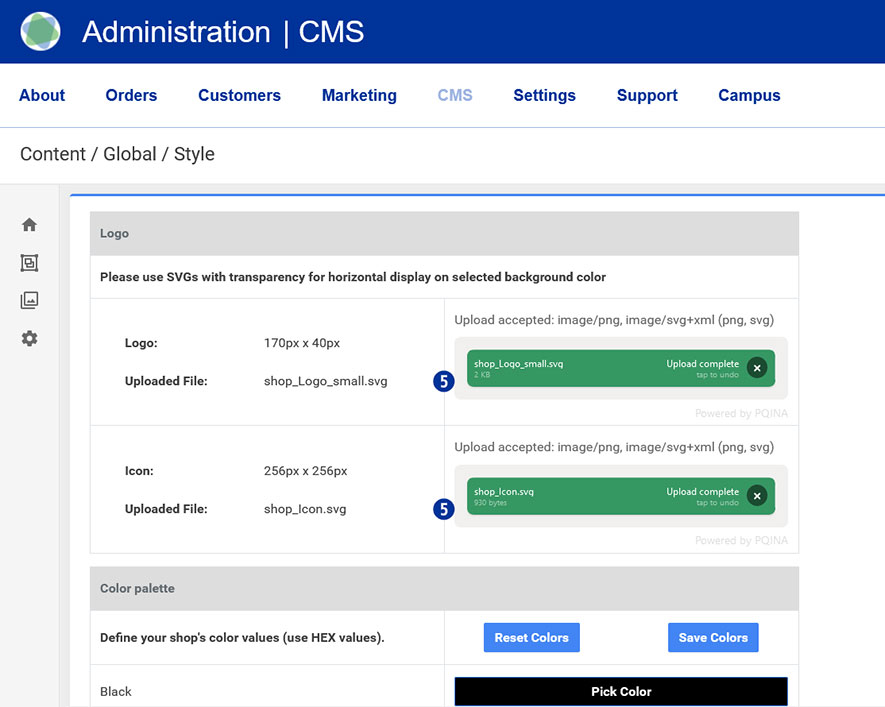
The successful upload process will be shown to you on the left in the form of the file name in a green button. [5]
Note
Please pay attention to the following technical specifications when creating your logo.
- Image size 175 x 40 Pixel
- Save as SVG or PNG file
- No umlauts or spaces
Category:
CMS