You yourself are the operator of your Partnershop. This requires the provision of legal texts. Yours are affected by this
- General terms and conditions
- Privacy policy
- Imprint
Please ensure that your information is correct and check it regularly to ensure it is up to date.
Switch to your Partnershop backend – CMS / Content / Pages / Content. [1][2]
Select in the left navigation Page / Imprint. [3]
Alternatively, choose Privacy Policy oder Terms + Conditions.
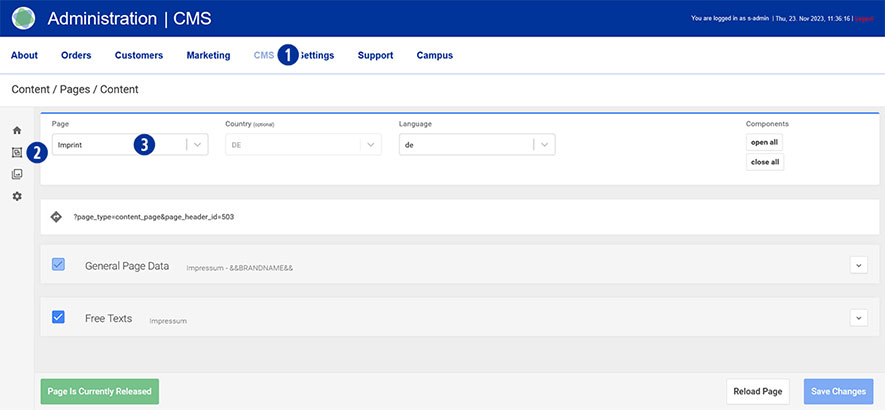
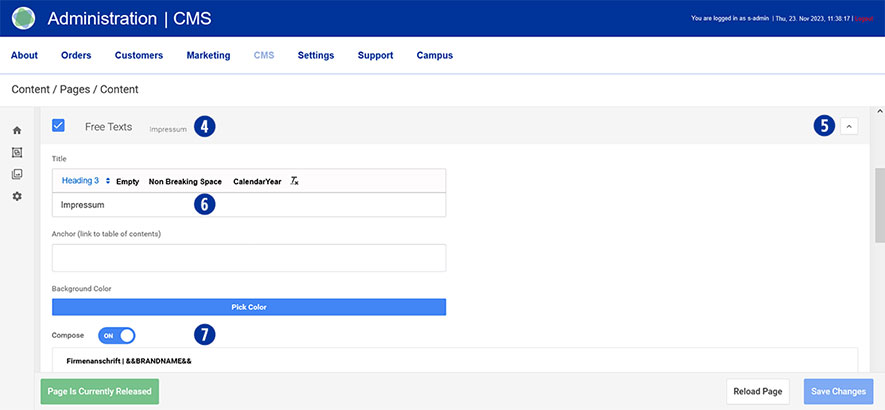
Scroll to the “Free Texts” tab [4] and open it. [5]
Enter the desired text in the “Title” input field. [6] Make sure to maintain the “Heading 3” formatting.
Under “Compose” drag the slider to “ON”. [7]
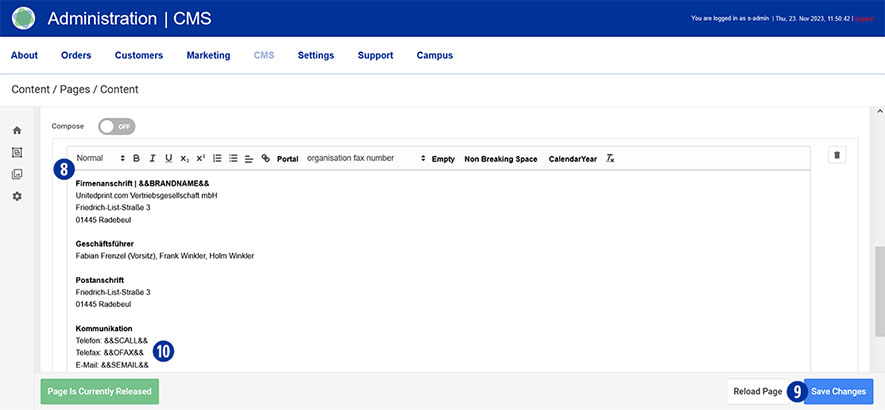
Enter or change the desired text in the input field and optionally carry out formatting. [8th]
Save your changes by clicking on the “Save Changes” button. [9]
Do the same with the pages Privacy Policy sowie Terms + Conditions.
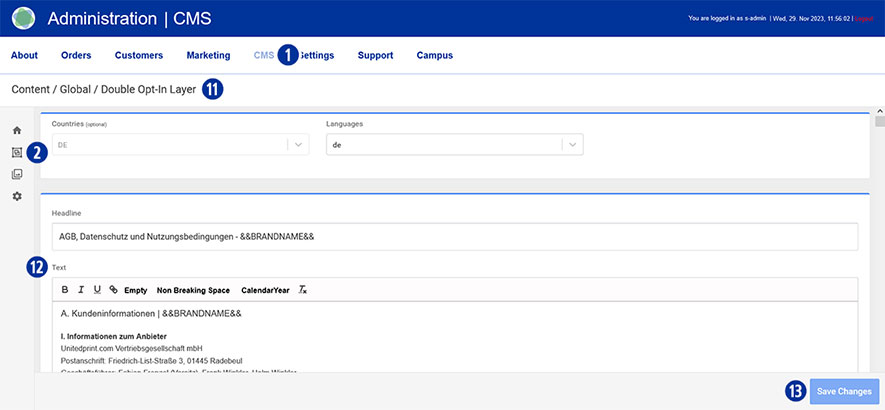
Make sure to also store your legal texts (general terms and conditions and privacy policy) in the Partnershop backend – CMS / Content / Global / Double Opt-In Layer. [1][2][11]
Enter or change the desired text in the input field and optionally carry out formatting. [12]
Save your changes by clicking on the “Save Changes” button. [13]
Note
The variables stored in the input fields [3] in your Partnershop backend – CMS / Content / Global / Contacts can be adopted in the “Imprint” content area. [10]
This eliminates the need for redundant recording of information for brand name, telephone, fax and email.