Content changes that you make via the Partnershop backend CMS module must be saved and published in order to be displayed in the shop. [1][2][3].
The prerequisite for this is that the edited page has the status “Page Is Currently Released” (green button) [4] and has been saved. To do this, click the “Save Changes” button. [5]
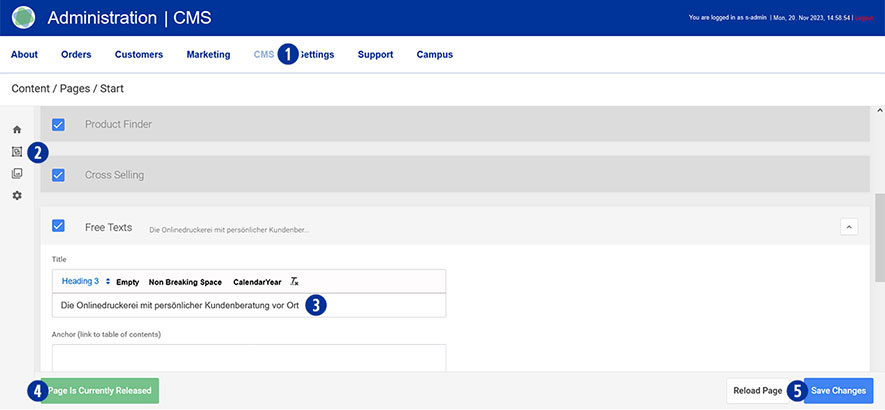
After completing all changes, switch to your Partnershop backend – CMS / Admninistration / Redis Management / Exports. [6]
Click the “Create Productive Version” button. [7]
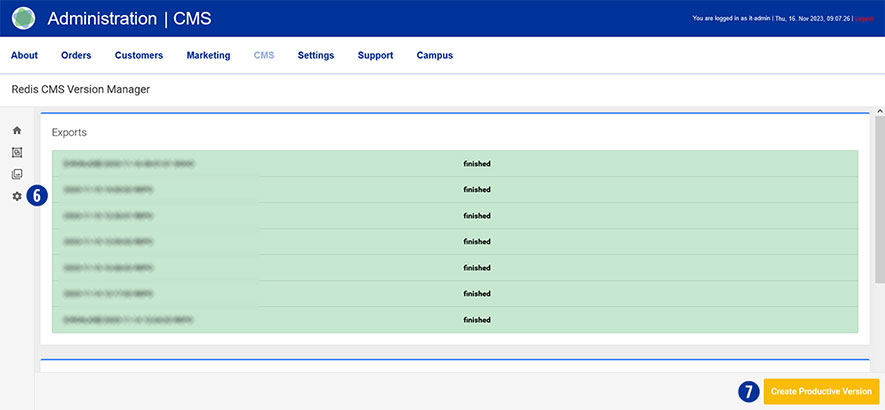
Your changes will be visible to all customers in the shop after around 2 minutes.
Category:
CMS