If you only have the corresponding print24 order number for a Partnershop order, you can use your Partnershop backend to find out the corresponding Partnershop order.
Switch to the Partnershop backend – Orders / Track. [1]
Enter the print24 order number you have in the ‘Unitedprint ID’ input field. [2]
Confirm your entry by clicking on the ‘Go!’ button. [3]
Click on the respective order item (e.g. 01) in the ‘Order item’ column for a detailed view of the order. [4]
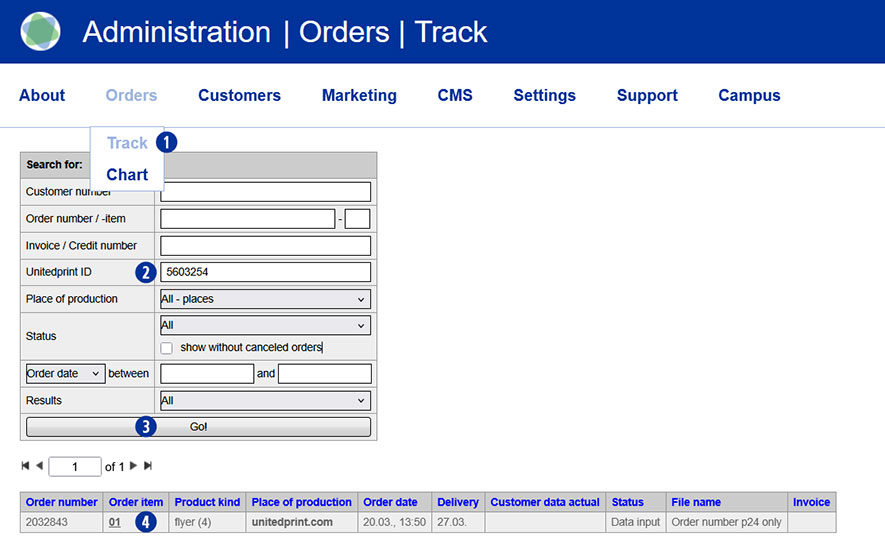
The desired partner shop order will be displayed as a result. [5]

Category:
General