To check and confirm your PayPal mandate, please go to the PayPal page https://www.paypal.com and login there with your account details. Depending on whether you use a private account or a business account, the further steps are taken.
Private Account
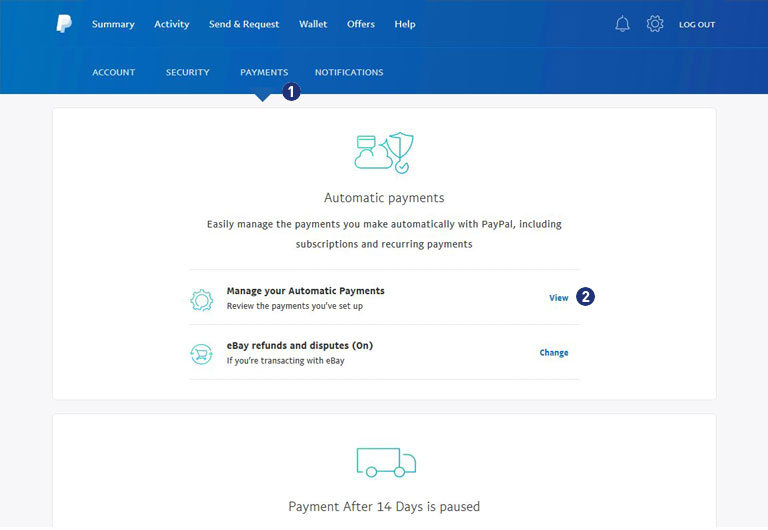
After successful login, switch to the second menu line and select the item “Payments”. [1] Then click on the link “View” under the item “Manage payments in the collection procedure”. [2]
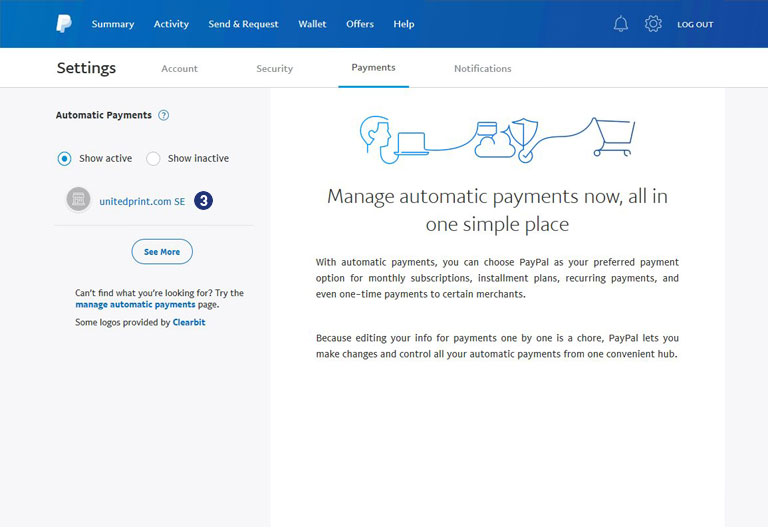
Choose your PayPal mandate for “unitedprint.com SE”. [3]
The status must show “Active”. [4]
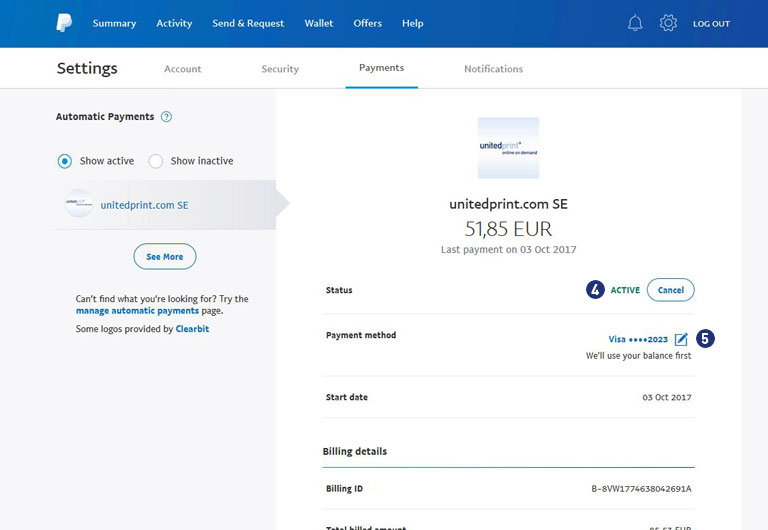
At “Payment source”, click on the edit icon (right) and check the completeness of your payment sources. [5]
Note
If you have a balance, it will be used first. If there is a problem with the selected payment source, a different bank account or credit card will be used to make the payment.
Business Account
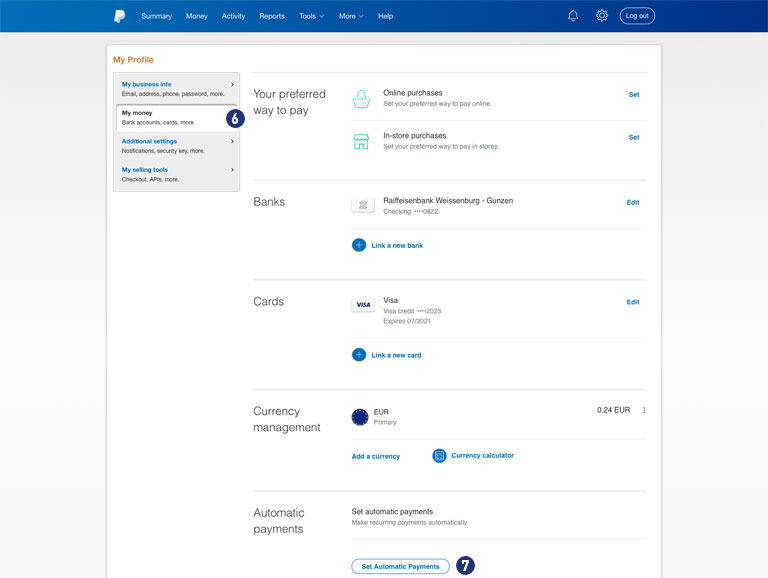
After successful login you change over the gear icon (top right) under “My profile” to the point “Bank data”. [6]
At the end click on the button “Set Automatic Payment”. [7]
Check your PayPal mandate for “unitedprint.com SE”. [8] The status must be “Active”. [9]
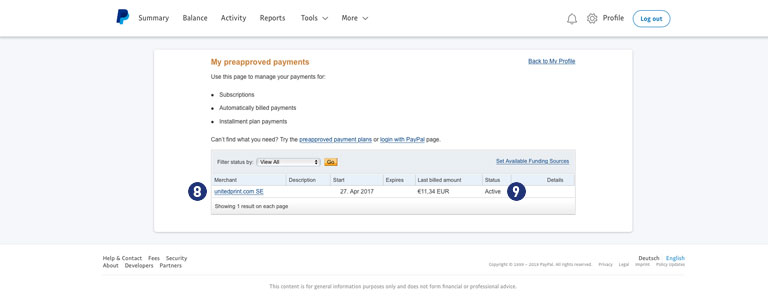
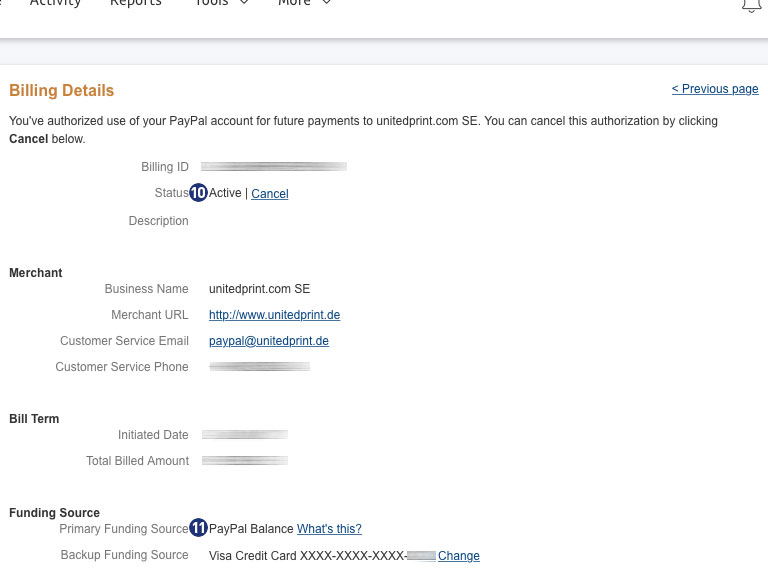
Click on the link “unitedprint.com SE” [8] and check under “Billing Details” the status (Active) [10] as well as the completeness of your payment sources. [11]
Note
If you have a balance, it will be used first.
If there is a problem with the selected payment source, a different bank account or credit card will be used to make the payment.
Please note the different layout as well as the different navigation in the two areas private account and business account.